
Personal notes — not a product manual.
Security choices in ManaPDF
A work PDF seemed to change on its own. I pulled an OSS tool from GitHub to investigate — and triggered an EDR alert even though I’m the one who handles security.
That awkward moment is where this started. Before building “a handy PDF tool,” ManaPDF prioritizes distribution you can explain and processing that stays on the device. Here is the personal background and a technical summary.
This is not criticism of any specific employer or vendor. It does not replace legal advice or internal approval. See also Privacy and Help.
Part1. The trigger — “did it change silently?”
I opened a work PDF after not looking at it for a while and something felt off — content or properties were not what I remembered. The user had not consciously re-saved it, yet Creator, modification dates, or embedded metadata had changed. I started wondering whether this was a silent update (replacement without an obvious user action).
To investigate, I downloaded PDF-related OSS from GitHub that could compare metadata and export reports, and ran it on a company PC. Legitimate research — not malicious activity.
Still, endpoint protection (EDR) raised an alert.
I’m the one who explains security tools — and I was on the “what is this executable?” side of the conversation. Awkward, honestly.
The alert context was roughly:
- An executable fetched from GitHub, not widely known
- No code signature, or a signature not registered internally
- Behavior that opens PDFs, parses them, and writes new files
Even without malice, explanation cost is real. “It’s for investigation” may be enough once — but I did not want to repeat that every time. So ManaPDF’s distribution model was part of the design from day one.

Part2. PDF tools get flagged by EDR easily
This is not unique to ManaPDF. Applications that read and write PDFs are a category that endpoint protection often flags heuristically — based on behavior, not reputation alone. The format requires things like:
- Parsing binary PDFs and interpreting streams, dictionaries, and encryption envelopes
- Extracting or rewriting metadata and body text, then saving a new file
- Decrypting and re-saving encrypted PDFs when you know the password (Unlock essay)
- Touching attachments, external links, scripts — structures malware analysis also cares about
From EDR’s view, that looks like “an unknown app opening and modifying documents.” Legitimate DTP software can false-positive too, but smaller publishers, weaker signing, and less install history tend to raise scores.
Distribution shape matters. Shipping a .NET app as a single-file self-contained exe can unpack to a temp directory at launch — a pattern similar to packed executables. Running an unsigned manapdf.exe straight from a ZIP needs the same kind of explanation.
Not “suspicious” so much as “easy to design into a watchlist” — that wording feels more accurate.
Cloud PDF services avoid dropping unknown exes on endpoints, but you trade away local-only processing. ManaPDF chose local — so signing and distribution channel are part of accountability.

Part3. Signing matters — Store distribution first
When explaining software internally, the first questions are usually “where did you get it?” and “is it signed?” On Windows, Authenticode signing and whether the channel is known often decide approval.
You can ship unsigned or self-signed ZIPs from a personal site or GitHub Releases — but Part1 is what happens when even I run that as security staff. Some org policies block it outright.
So the official consumer channel for ManaPDF is Microsoft Store.
- Store MSIX packages are signed through Partner Center
- Easy to describe as “ManaPDF from Microsoft Store” (including internal software requests)
- GUI and CLI (
manapdfApp Execution Alias) ship in one package
Source on GitHub is MIT-licensed, but Store is the main binary path for general users. Tagged releases that Actions builds (CLI ZIP / SBOM) are mainly for maintainer verification and traceability (below) — a separate channel from Store.
Store install, update, and purchase involve Microsoft-side traffic — separate from ManaPDF’s PDF processing.

Part4. What ManaPDF tries to do
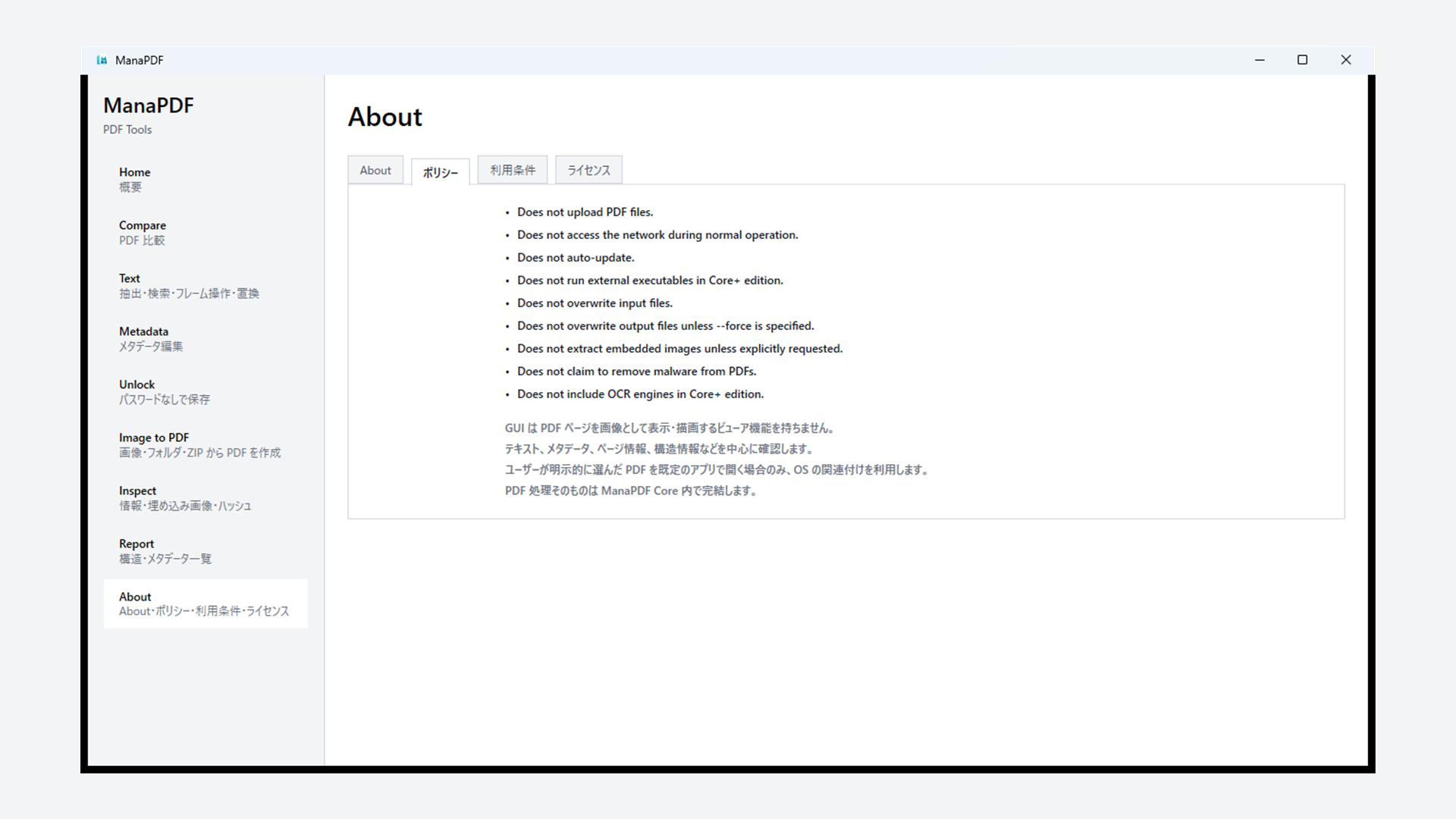
Beyond distribution, we draw lines on behavior (same as GUI Policy / manapdf policy).
- No uploading PDFs in normal operation — processing stays on device; no telemetry, accounts, or online activation
- Inputs are not overwritten — outputs go to new names or folders; CLI overwrite only with flags like
--force - No network for PDF processing
- Encrypted PDFs only after you enter a password — passwords are not logged or written to JSON
- Dependencies disclosed in-app — About → Licenses,
manapdf licenses, bundled THIRD_PARTY_NOTICES
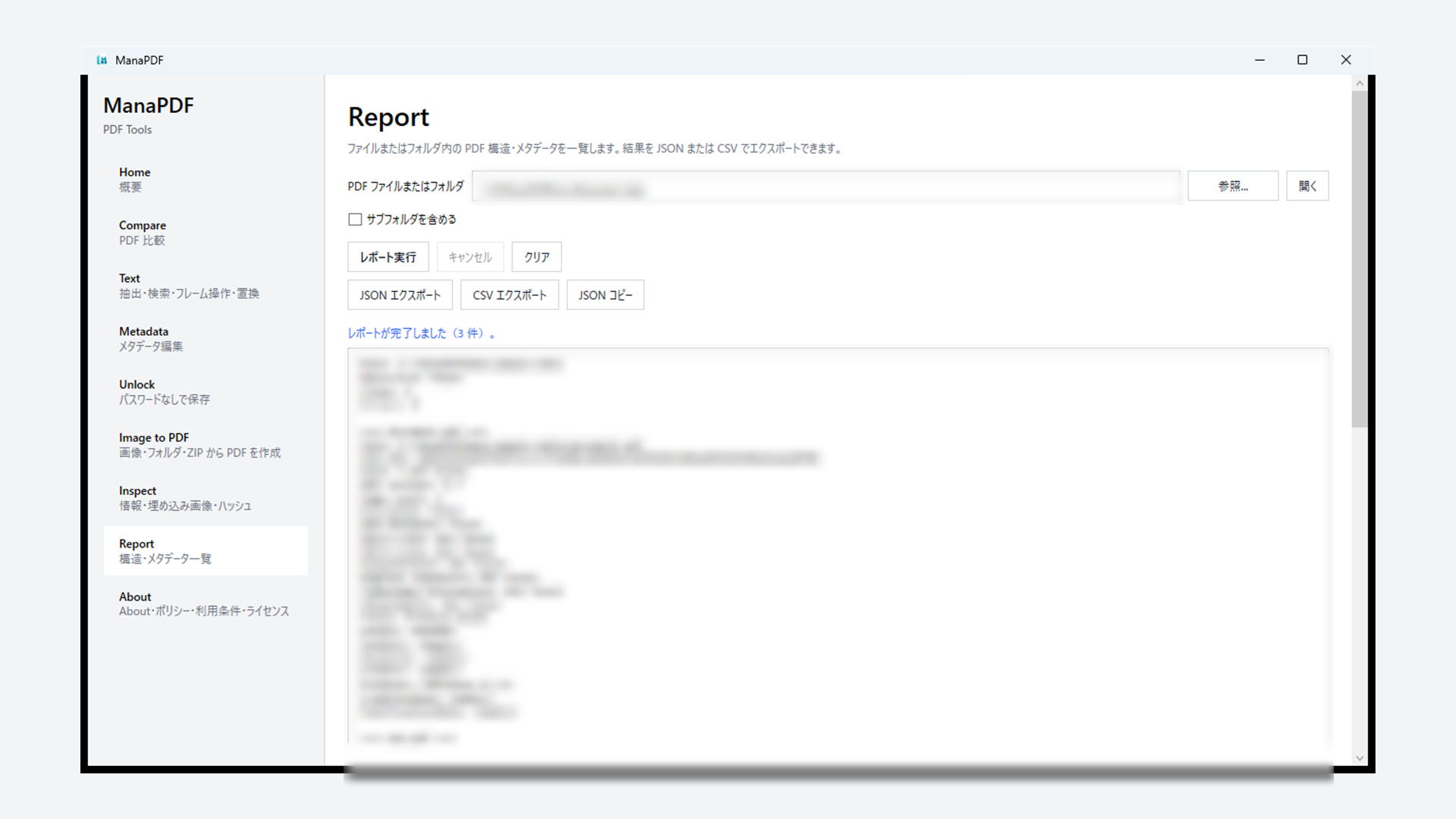
Silent-update suspicion is why Compare, Report, and metadata diff features matter — making “what changed and when” visible. ManaPDF does not silently rewrite your PDFs, but it can help you check whether something else did.
Same root as the metadata essay: “I don’t want to upload this” and “I need to explain this at work.”
Part5. Builds, SBOM, GitHub Actions
I want “what we ship” documented in build mechanics, not prose alone. Current state:
Continuous integration (CI)
On every push to main and on pull requests, GitHub Actions on Windows runners runs dotnet restore → build → test (.github/workflows/ci.yml). A gate before Store releases — not only local builds.
Release SBOM and checksums
Pushing a v* tag runs another workflow (.github/workflows/release.yml).
- Publish CLI (
manapdf.exe) in Release configuration and package as ZIP - Generate a CycloneDX SBOM (
manapdf-vX.Y.Z-sbom.cdx.json) viadotnet-CycloneDX - Record SHA-256 for ZIP and SBOM in
checksums.txt(tag, commit SHA, workflow run URL) - Attach ZIP / SBOM / checksums to the GitHub Release
- When the repo is public, add GitHub Artifact Attestations (build provenance)
We do not publish SBOM as a standing download for every end user. The Store GUI package does not bundle an SBOM file today. What is available: in-app license lists, THIRD_PARTY_NOTICES, and maintainer-facing SBOM on tagged GitHub Releases. Whether Store builds get a more explicit SBOM later is TBD.
Still, which commit, which workflow, which artifact should be traceable — unlike my EDR moment, there should be material to explain afterward.
Source: GitHub. Report vulnerabilities via Security Advisories (not public issues).
Part6. What we do not do or guarantee
Clear boundaries — easy to misunderstand:
- No malware removal or PDF sanitization — not antivirus
inspectis not a safety verdict — checklist display only (CLI)- No PDF/A or PDF/X conformance certification
- No password cracking or brute force
- Cannot promise zero EDR false positives — behavior may still be blocked by org policy
- Does not decide internal compliance for you
We will not say “this PDF is safe.” We can say we do not upload data you did not intend to share, and we do not overwrite inputs silently.

If this resonates, take a look.
ManaPDF product page · Metadata essay · Unlock essay · Privacy · Get on Microsoft Store
Extra. FAQ (short)
Why does OSS from GitHub trigger alerts?
Unsigned or low-reputation binaries plus PDF read/write behavior stack up — EDR often marks “needs review.” Not necessarily malicious.
Does Store mean no EDR hits?
No guarantee. Signed, known channels are usually easier to explain and approve internally.
Where is the SBOM?
No permanent public download page for everyone. Tagged GitHub Releases include a CycloneDX SBOM for the CLI build. In-app: manapdf licenses / About → Licenses.
Does ManaPDF really avoid uploading PDFs?
Normal PDF processing does not upload documents to external services. OS / Store traffic is separate.
Are input PDFs overwritten?
No. Results go to new files or folders.