
Personal notes — not a product manual.
Multiple images into one PDF — for free.
You straightened and cleaned up scans — then how do I get this back into a PDF?
ManaPDF combines multiple images into one PDF. Currently free, processing stays on your PC. No uploading to online services.
Part1. Correction is easy. After that, not so much.
Scanning straight to PDF from a copier works — sometimes.
When you want to touch things up, images are easier.
Straighten. Brighten. Crop margins. Remove junk. Check page by page.
Image editors handle that part.
The hard part is what comes next.
I want these corrected images back in one PDF.
Surprisingly, that alone is not always straightforward.

Part2. So what now?
Ways to get back to PDF:
Print to paper, then scan again?
Print everything, run it through the copier as PDF.
…That is a long detour.
Paste everything into Word or Excel?
One image per page, resize, adjust layout, export as PDF.
It works. But,
I only wanted a PDF.
Upload to a free online converter?
Convenient — but for work documents, you may need approval before sending images externally.
Let AI handle it?
We live in convenient times. Still — do you need to upload document images somewhere just to bundle them into a PDF?

Part3. Pick images. Make a PDF. That is enough.
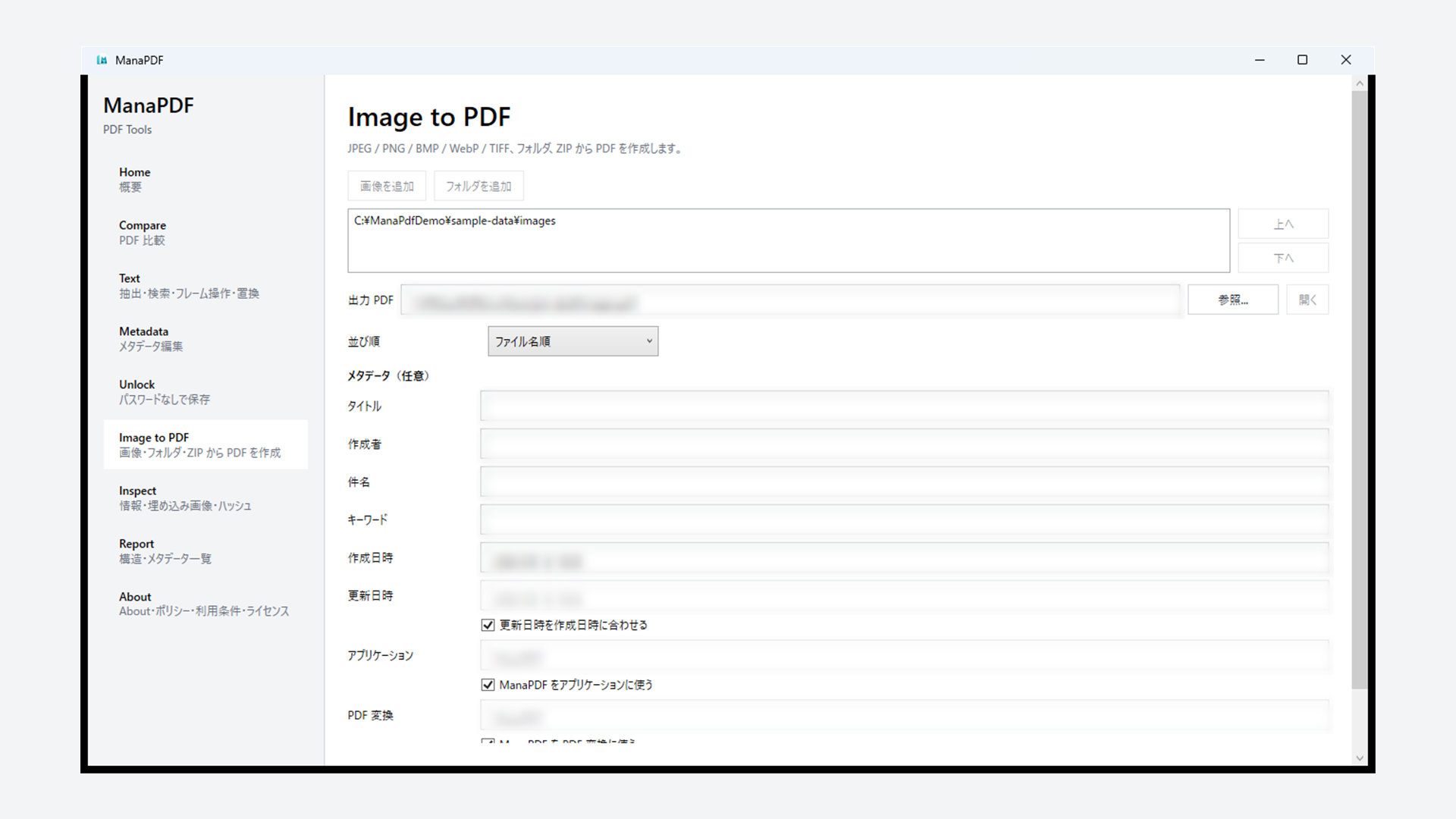
ManaPDF lets you select corrected images and combine them into one PDF.
No printing. No Word/Excel paste marathon. No borrowing someone’s Acrobat. No online service or AI upload.
Pick images. Order them. Create PDF. That is it.
On the Image screen: add images (or a folder) → reorder if needed → set output PDF → Create PDF. Input images stay unchanged; you get a new PDF.
※ Deskew, brightness, and crop are not ManaPDF features. Fix images elsewhere, then use ManaPDF for PDF creation only.

Part4. No more “ask whoever has Acrobat”
Companies often limit who has PDF editing software. Not everyone gets paid Acrobat.
So: “Ask whoever has Acrobat installed.”
For rare tasks, that can work. For “images to PDF” every few weeks, hunting for the right person gets old.
ManaPDF is also for finishing small jobs on your own PC.

Part5. You wanted a PDF — so make one.
Correction is done. You just need one PDF.
You do not need to print, paste into Office, or upload to external services.
Multiple images into one PDF — for free.
※ Details: Help (Image to PDF). Sort order: Tips.
Extra. FAQ (short)
Can ManaPDF correct images (deskew, brightness, crop)?
No. ManaPDF bundles images into PDFs. Fix images in another app first.
Does it upload images?
Normal processing does not upload images to external services. OS / Store traffic is separate.
Is it free?
Currently free. No license keys or online activation.
Folder or ZIP input?
Yes. Add a folder or pick multiple image files on the Image screen. Reordering is supported. See Help; natural vs lexical sort: Tips.